- Sparrow Country Project Overview
- Unreal Engine Development
- Music & Audio Composition
- Aspiring for Version 1.0
- Roadmap
- Conclusion
- AI Usage
- Tools Used
- Gear Used
- Hardware Used
- Third Parties Used
- Find Sparrow Country in Game Stores
- Links - Discover more about Sparrow Country
Sparrow Country Project Overview
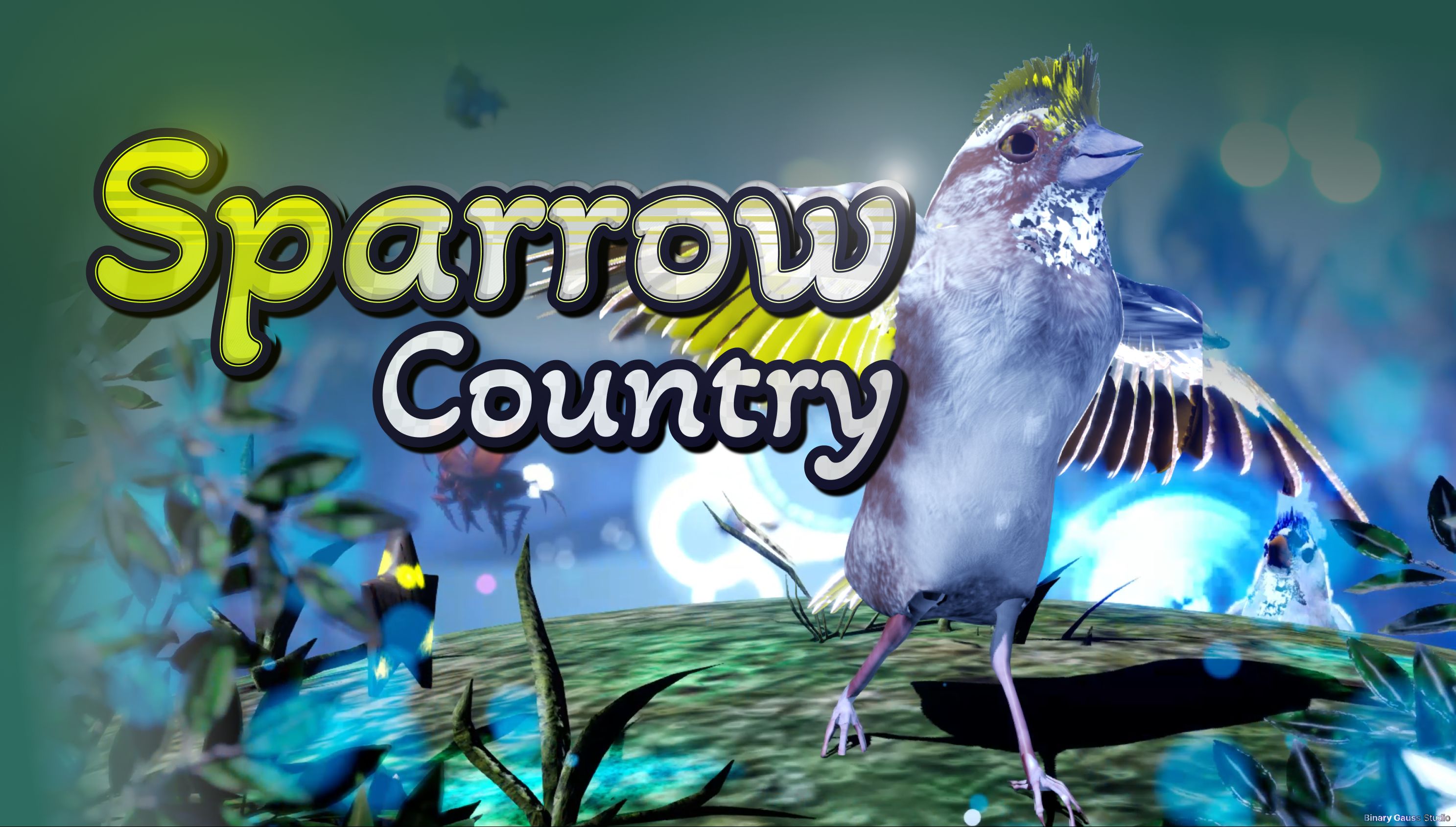
The project has taken over 3 1/2 years of full time work, and was started before that as a pet project for about 1/2 year. The project has taken an estimated ~14K+ hours. There are some 3rd party assets used. I go into detail later in the article about 3rd party and AI usage. I’ve been learning Unreal Engine for over a decade, with several sandbox projects over the years.
The project was not easy to accomplish, and required 100% effort to get the game into stores and a continued effort to make the game great. The game launched (silently) as early access Feb 27th, 2026. Since the game was plagued with issues, I did not want to shout out about it yet. The hardship continued for several months as I tried desperately to get the game into a better state.
Finally, the game has stabilized and the gameplay and story has improved, and is improving.
From idea to reality
Or reality into idea?
Sparrow Country was not planned, it started as an idea to model ‘something’ in 3D and make the model photo-realistic. That was the initial goal, while I also thought I might try animating and creating short animated film.
Since I enjoyed photography in my spare time, and found wildlife and especially birds fascinating, I had a surplus of photos of them in my photo library. The idea of bringing something photo-realistic to 3D naturally made sense that I use a photo of a bird.
Once I modeled the bird in 3D, i wanted to animate the bird and create some short animated stories and nothing more than that (at the time). I began to learn more about animating in Blender, and like everything software, I struggled, a lot.
With some previous playground experience in Unreal Engine, I knew if I could import the 3D model into a project, and that I might be able to animate easier in there. Lucky, with the introduction of Unreal Engine 5 at the time, and specifically the Control Rig feature in the engine I was able to bring some life to the bird with ‘relative’ ease. Although, at the time Unreal Engine 5 was still in early access, and so here, I struggled, a lot. However, with persistence and the software stabilizing I was able to make some progress and generate some impressive results (at least to me anyway).
Inspiration from Photography
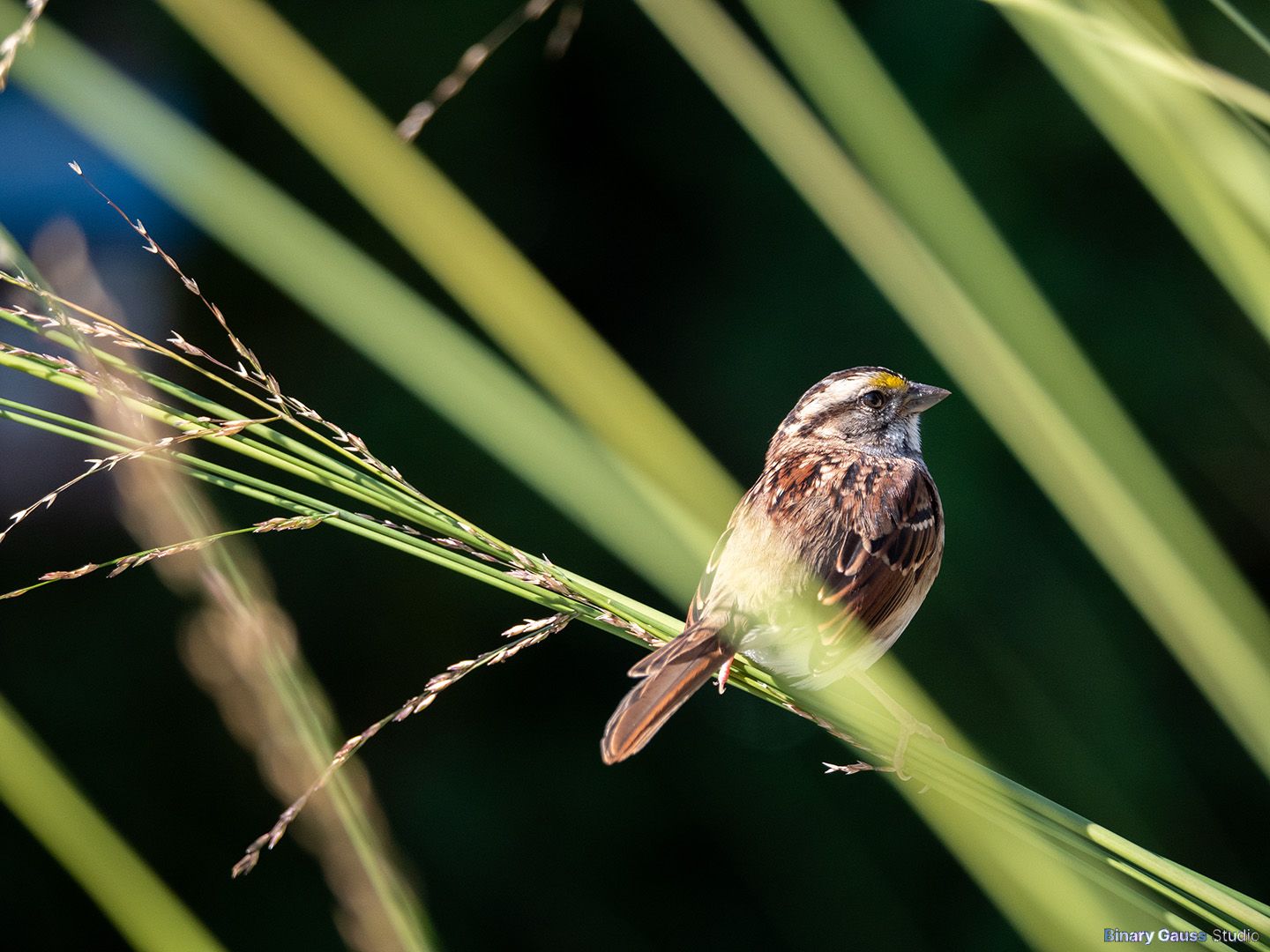
This is the photo that started it all. The photo had many challenges to create in 3D, including
a detailed, complex and textured model
several layers of depth in the photo
foreground blurred grass straws
background blurred grass straws & wheat kernels
another background, blurred forest further than the grass
Initial Blender Character Prototypes
In my spare time, I created some sample renders, these were my first attempts at creating the photo in 3D, using Blender. Over the course of about 3 weeks, I had something that looked pretty decent.


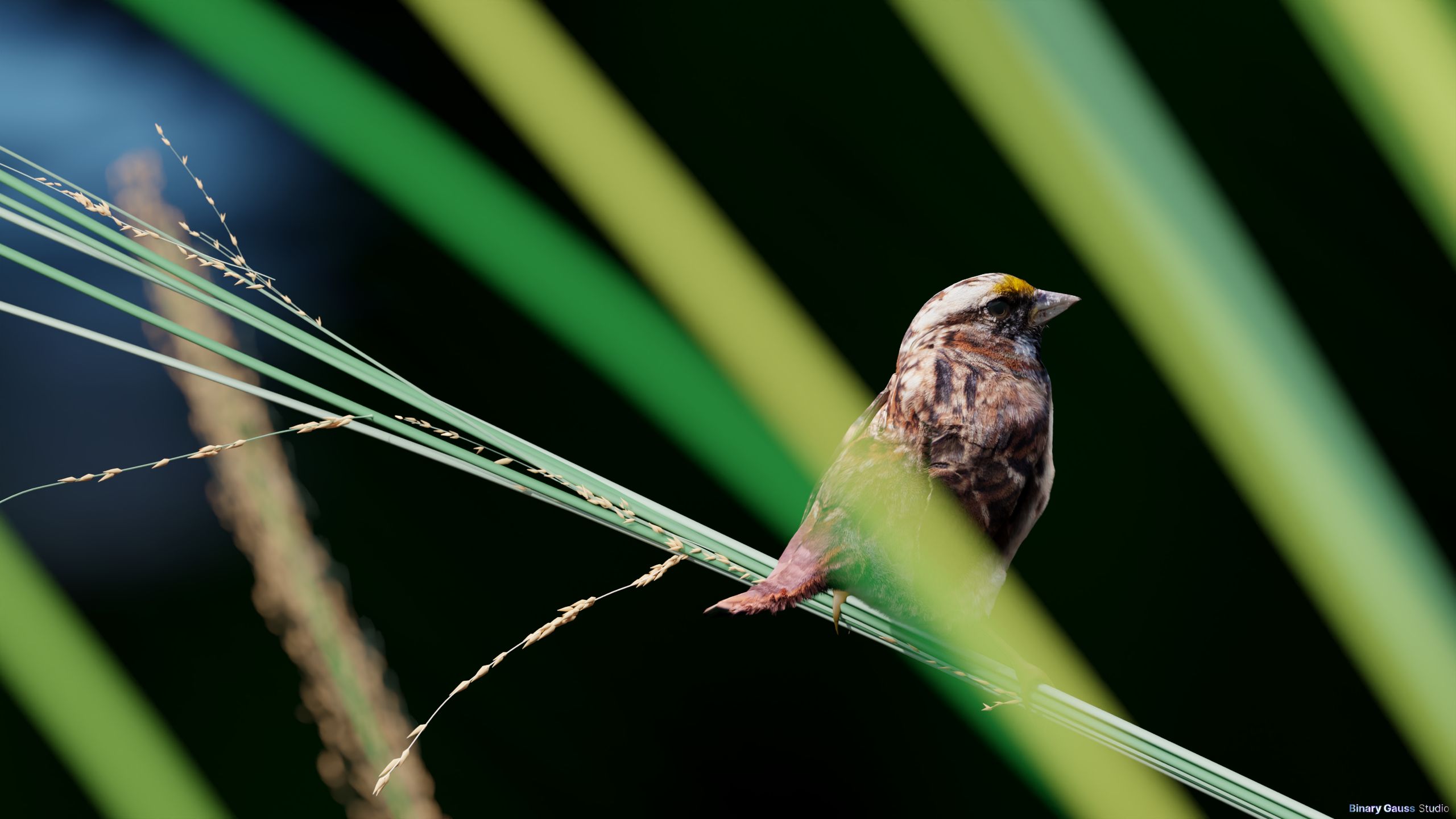
While far from perfect especially in the wings and tail I was surprised at how decent the overall render came out. I set these renders as a backdrop while sharing my screen with colleagues, and no one mentioned they didn’t look real, or off, and so, I considered the illusion met.
Now, how was I going to tackle those wings and tail, and animate the bird?
Development Timeline
Tracking progress
The graphic below is Jira’s Cumulative Flow Diagram, showing entries added and number of entries in each bucket.
Orange: Backlog
Red: Done
Purple: In progress
Green: Test
September 15, 2022 → August 2, 2026
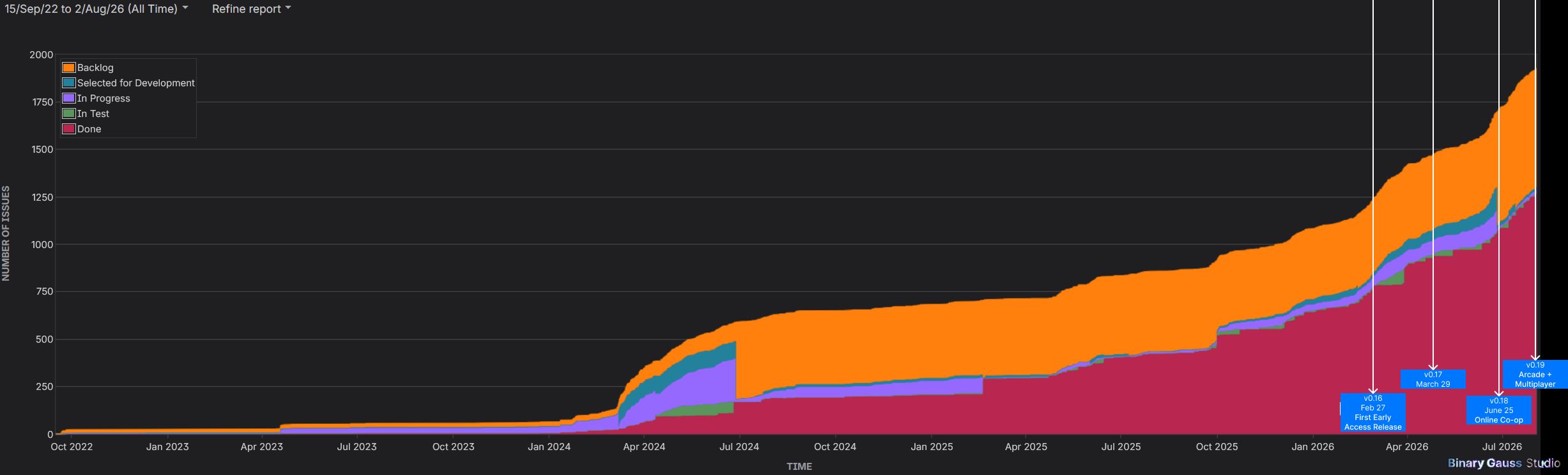
The first Jira entry was added September 15, 2022 at 2:09 PM EST. It took a while for me to get into gear with Jira. It wasn’t until April 2024 that things started to shape up, and more stories & bugs being logged.
You can see the purple grow to an oversized amount, it was difficult and remains difficult to maintain the board while focusing on everything else at the same time, and so the board has never really received the attention it needs.
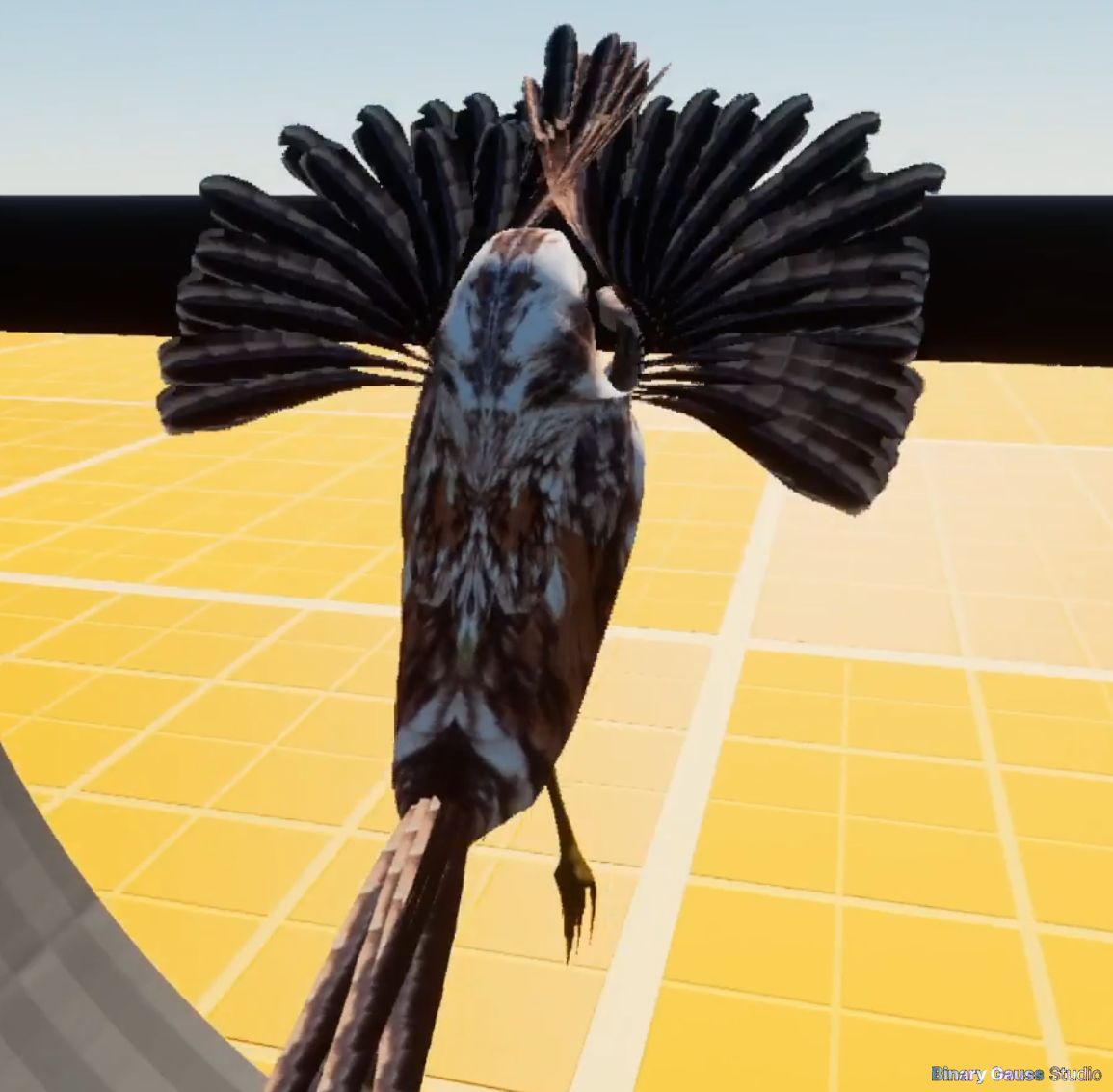
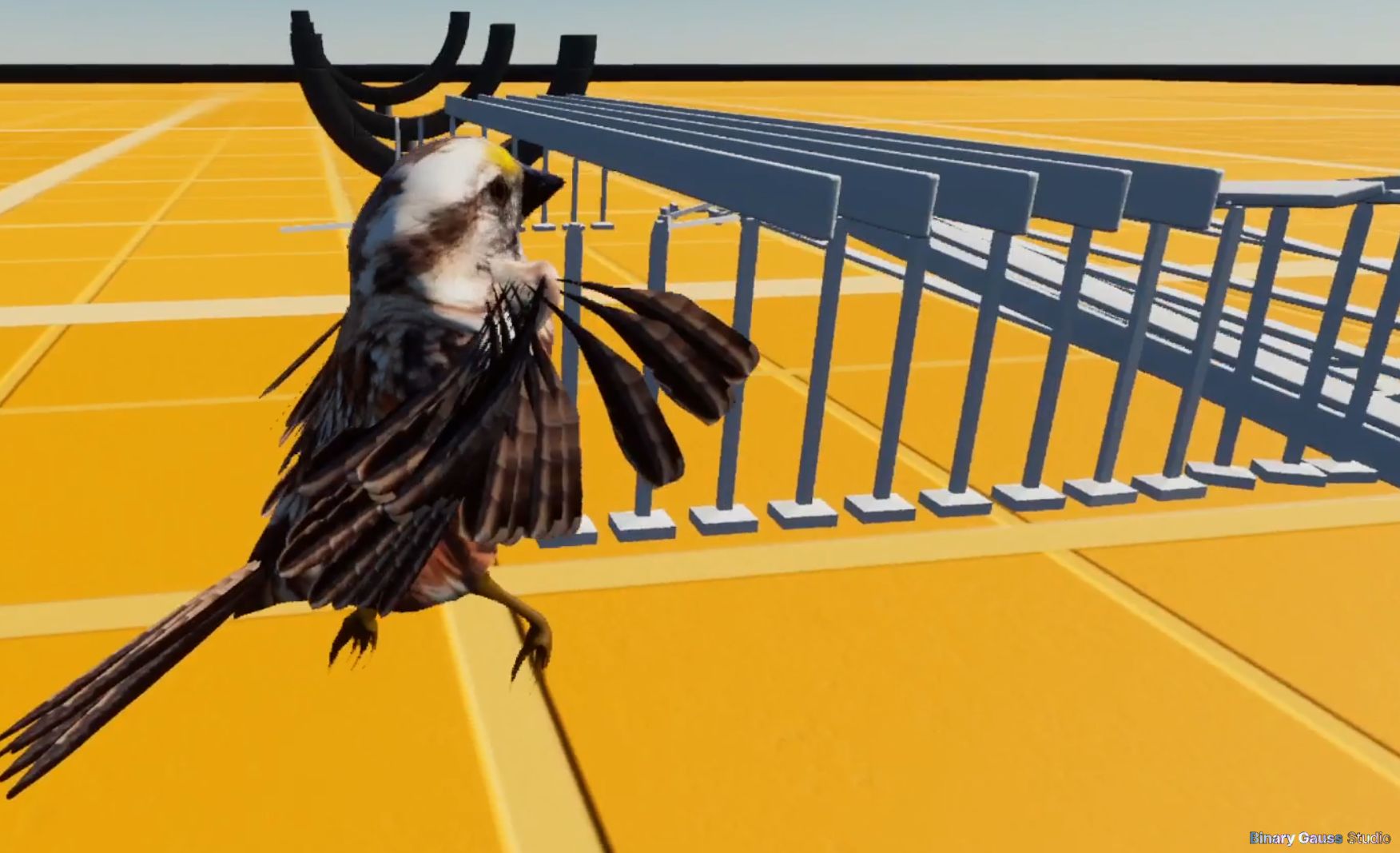
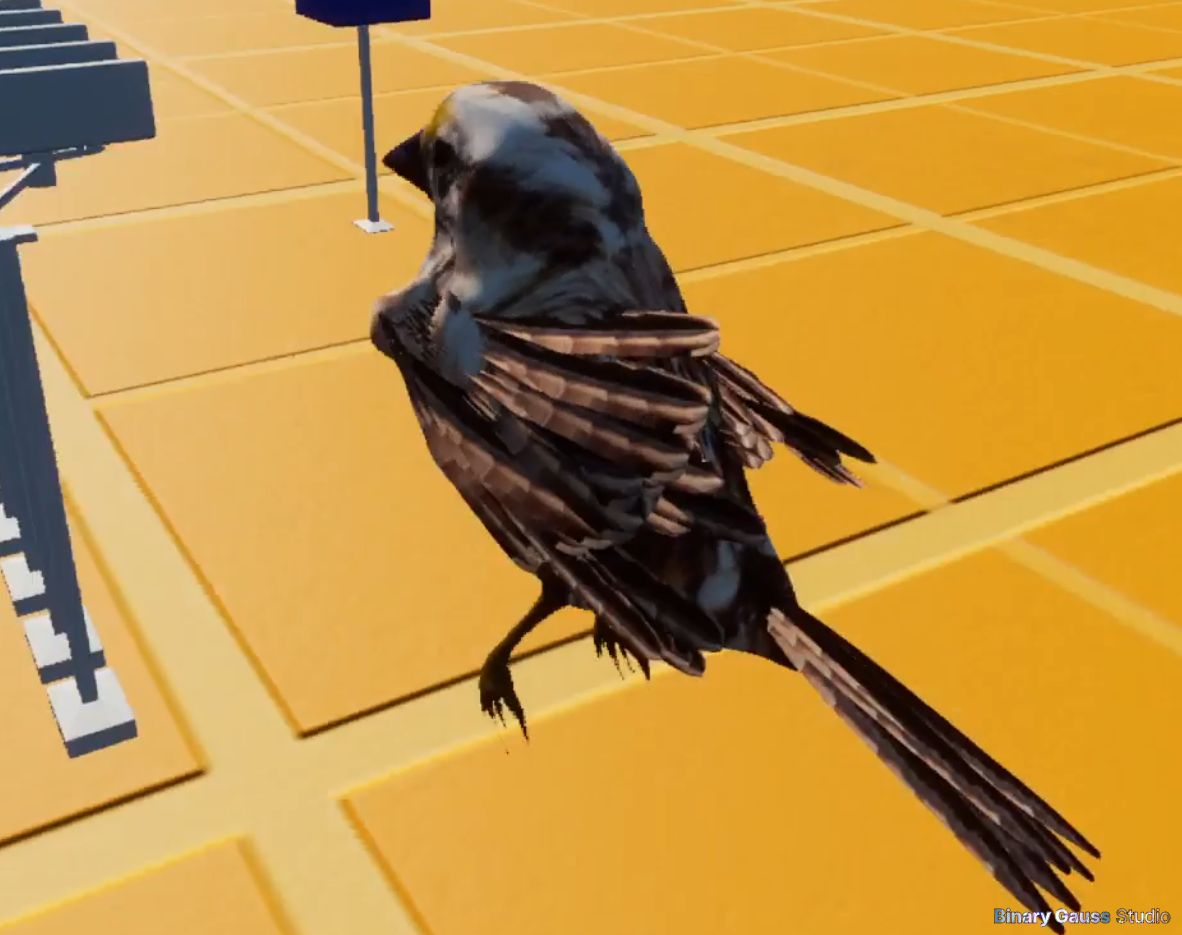
Sparrow Country in 2022
Pretty much an absolute mess, in its early prototype stages.
Feather alignment and sizing wasn’t great, but at least there was some spread and in some cases looked OK, the general mechanics seemed to be working but was really tough to setup.
Sparrow Country in 2023
Some more game mechanics were prototyped, including bots.
Feathers started looking better but still not really acceptable for a published game.
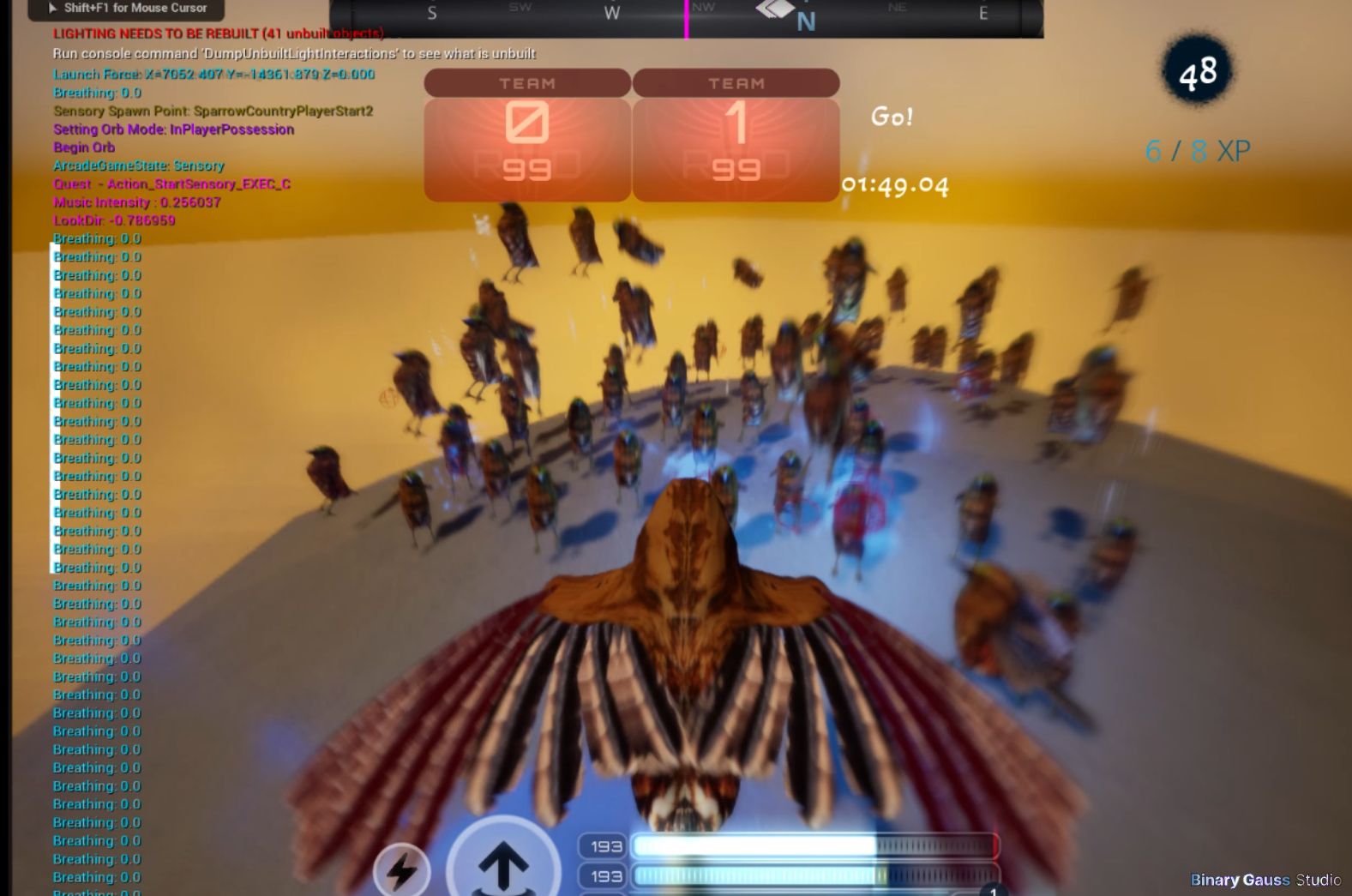
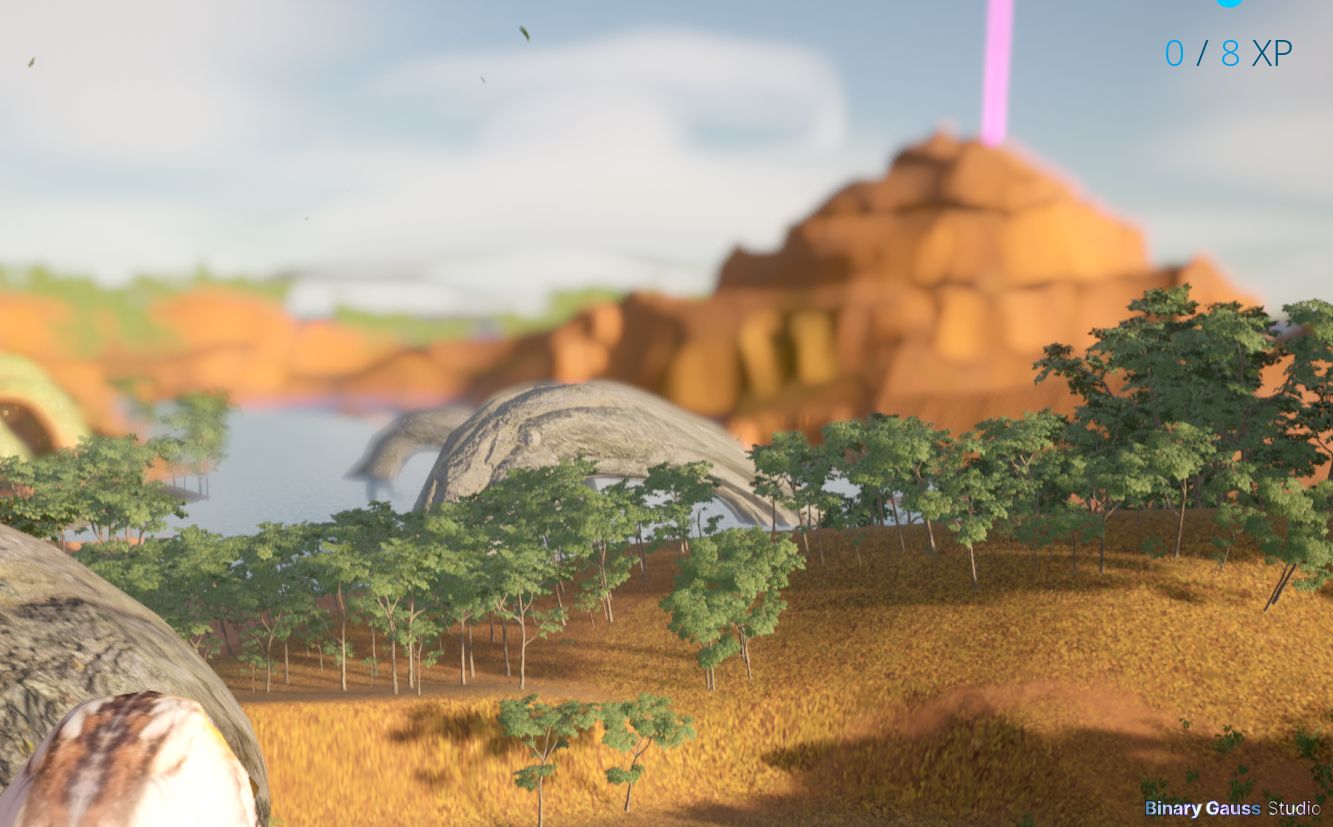
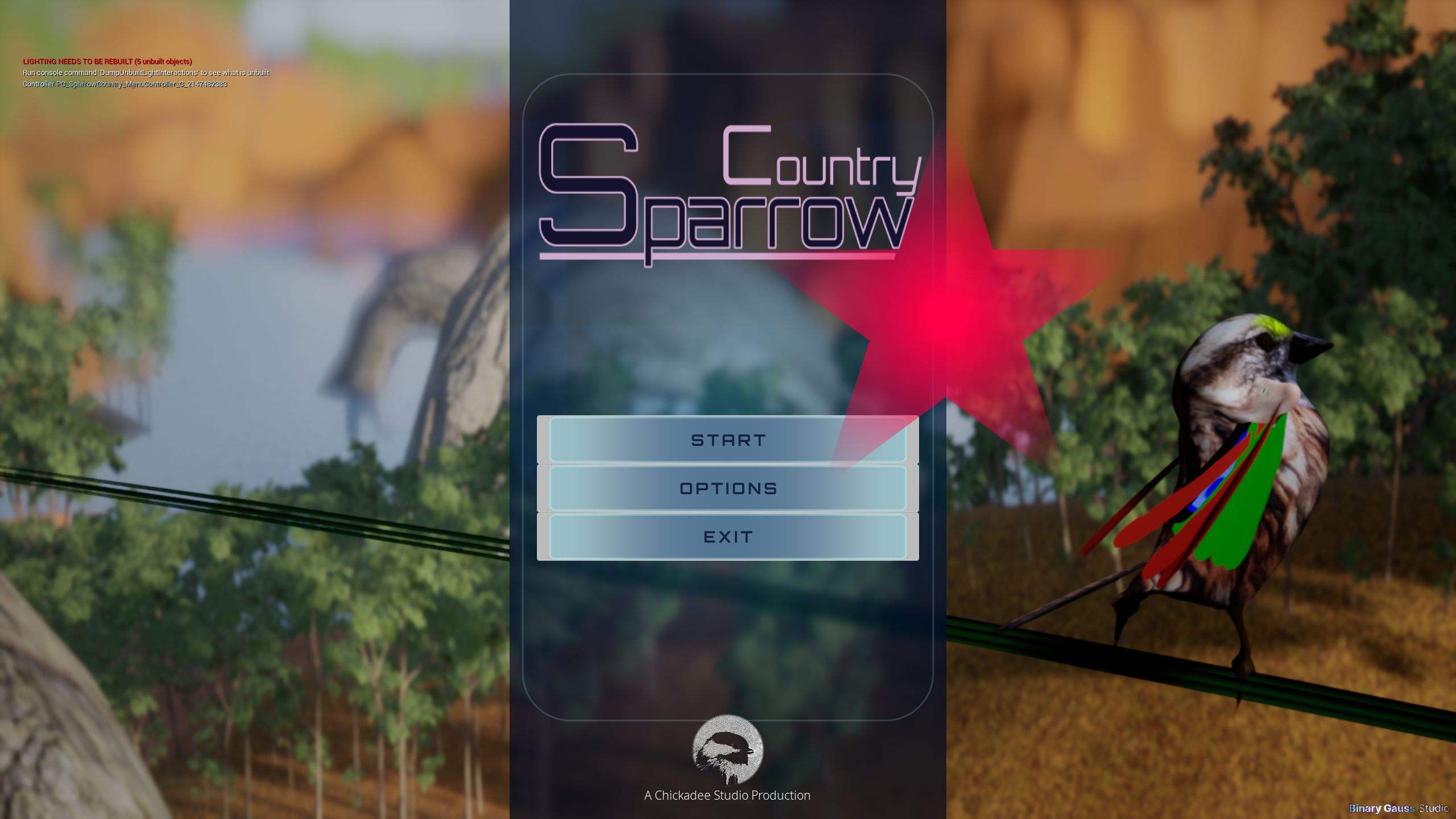
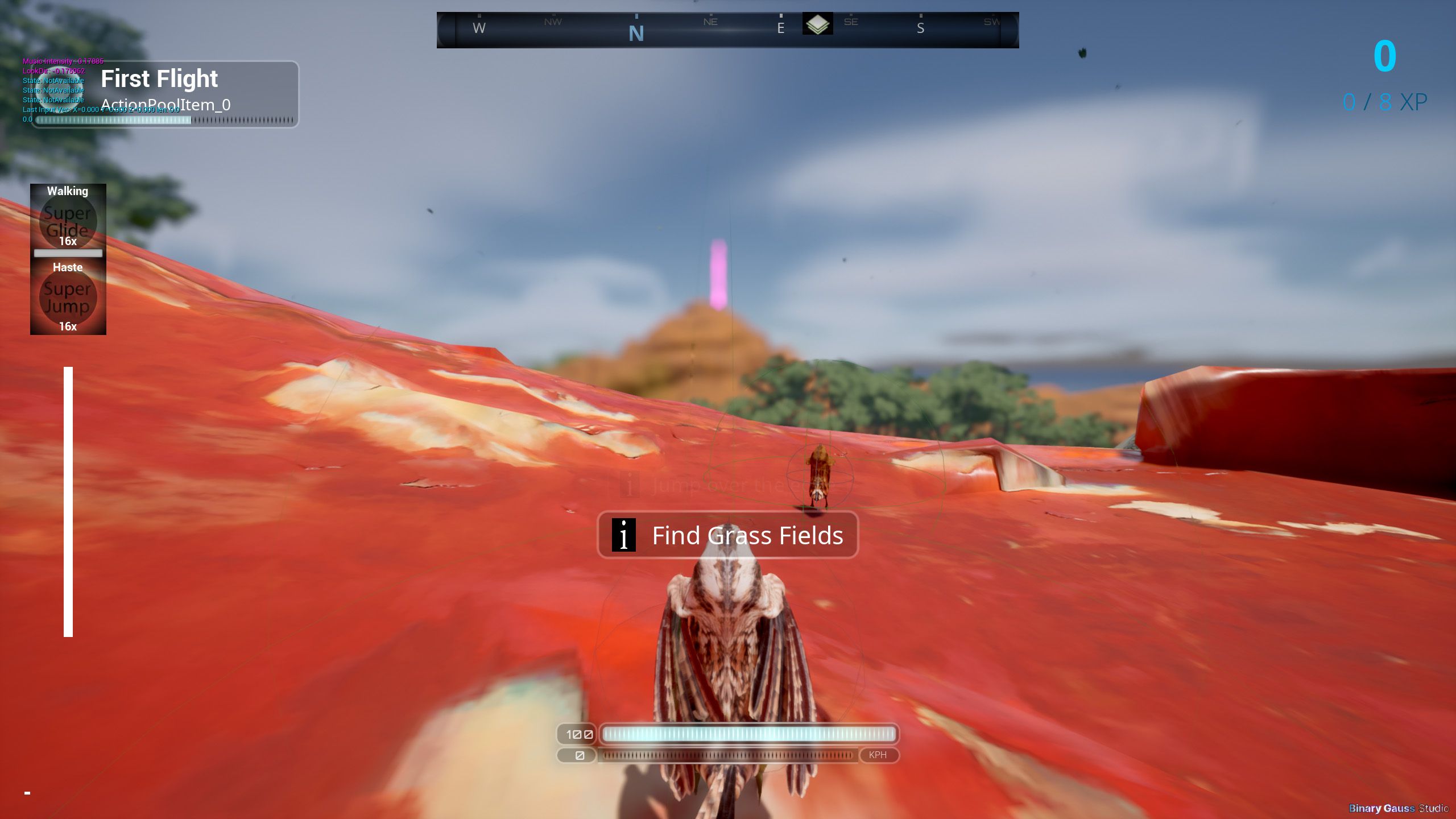
Sparrow Country in 2026
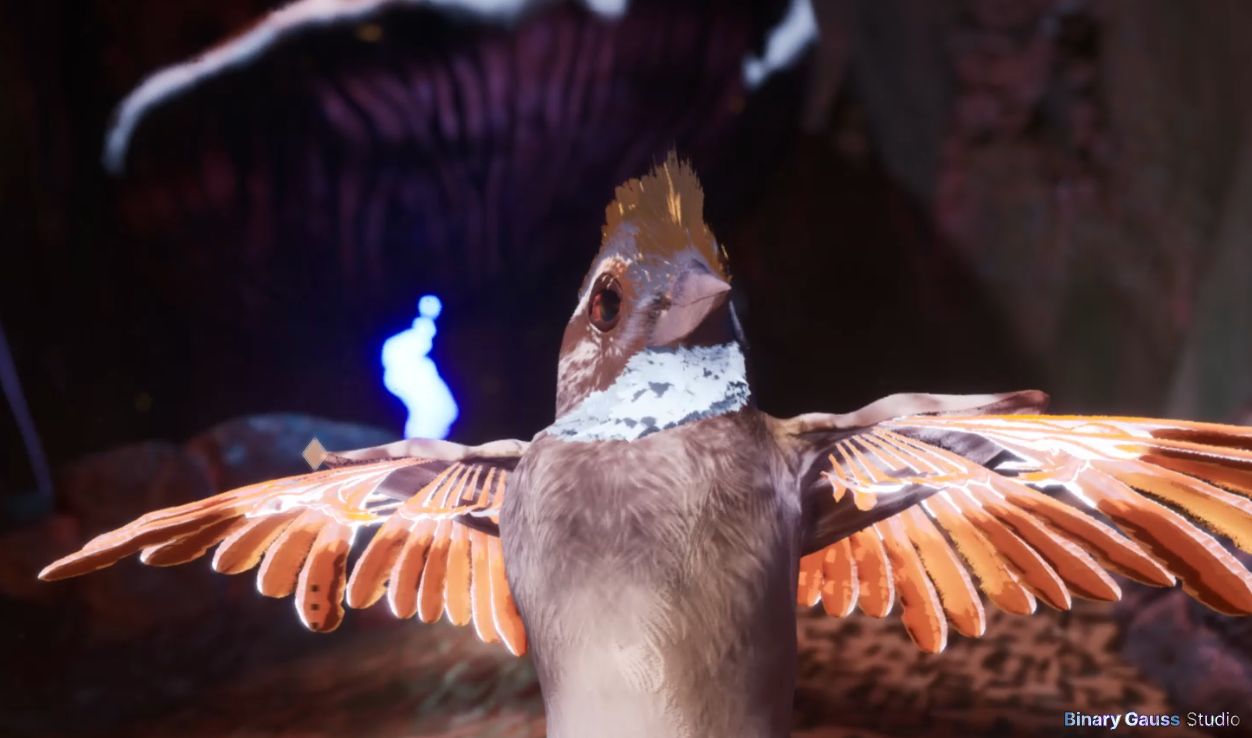
Finally in 2026 things started looking good
Critical bugs ironed out
First half of 2026 was dealing with 100s and 100s of bugs in the game
v0.16 Feb 27 saw the first Early Access release
v0.17 Mar 29 brought new features and many bug fixes
v0.18 Jun 25 saw co-op (using peer-to-peer networking)
v0.19 Aug 10 added Arcade with online PVP (using peer-to-peer networking)
Implementation Overview
Implementation Time-sinks
Native C++ development and setting up GameModes took a large amount of time.
Lots of development time was spent
building game mode logic
building shared Native C++ based actors
setting up Native C++ blueprintable asset structure
troubleshooting spawning players in with correct loadouts, and setting up proper interfaces and structures to support all the game modes
issues with widget focus, researching and troubleshooting how to use CommonUI
troubleshooting and learning the Ability System Component
early refactoring from blueprint overuse
Early Refactoring - Blueprints to Native C++
When I began the project, I very much believed I would develop as much as possible in Blueprints. Since I was still a beginner, refactoring was frequent. I was used to being able to refactor code from other environments, so I often wouldn’t hesitate to refactor. I faced many challenges refactoring Blueprints causing odd behavior and so many pins to reconnect.
I decided about 10 months into the project I would begin setting up foundational gameplay logic in C++ instead. I also around this time decided to refactor how some of my assets were organized, and move many assets into a dedicated plugin for the ‘gameplay experience’. I made a very rookie mistake here and renamed a folder directly, that contained many assets. This broke a lot of references. Here I learnt you should make a new folder and move the assets instead.
Building C++ was slow, and made making clean blueprints especially in the beginning tough.
Bird Feathers
I attempted to create feathers in Blender and attaching them to the bird model, and I also began diving into animation in Blender. I was quickly overwhelmed by complexity. While Blender is great, I was not great with it in these areas.
Having previous, but limited experience in Unreal Engine, I thought that maybe I’d have an easier time setting up the bird, and animating the model in the game engine.
Control Rig Integration
Control Rig was vital to animating the bird, and was also vital in aligning feathers. When the project was first getting started, Unreal Engine 5, and Control Rig was still in beta. The Control Rig editor was difficult to use, and caused lots of problems and so it was not an easy feat to get things setup. However, with persistence I was able to get something at least working. Once the control rig was setup, with the exception of a medium to minor overhaul about half way through the project, I was able to land on something where I did not have to alter the Control Rig again.
With Control Rig in place, I was able to animate the bird model and create new animations without having to worry too much about feather placement. 3 controls were setup for each wing, that needed to be adjusted to the desired outcome, Control Rig + Math did the aligning of feathers to interpolate the rotation of each feather to create a fanning effect.
Here I show the control rig and its ‘controls’. For example, I am able to slide one of these controls around in the viewport to open and close the characters eyes lids. This works for several of the characters features like beak, wings, legs, tail.
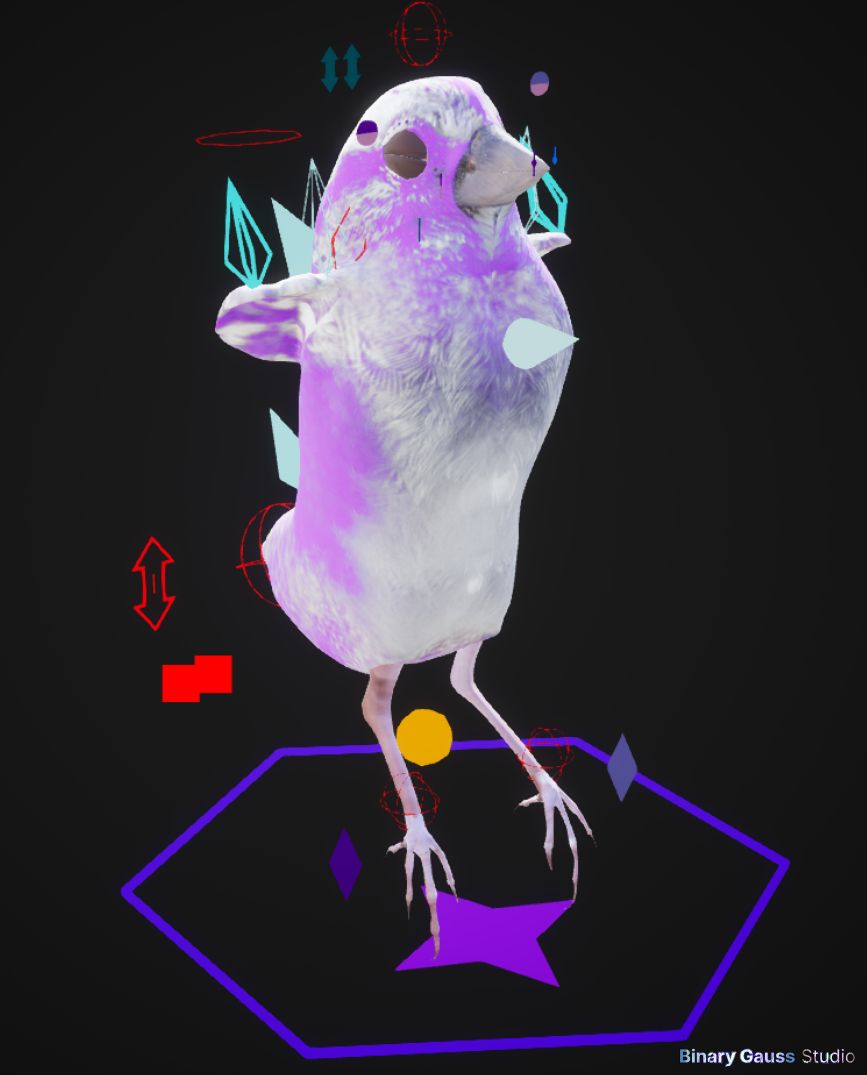
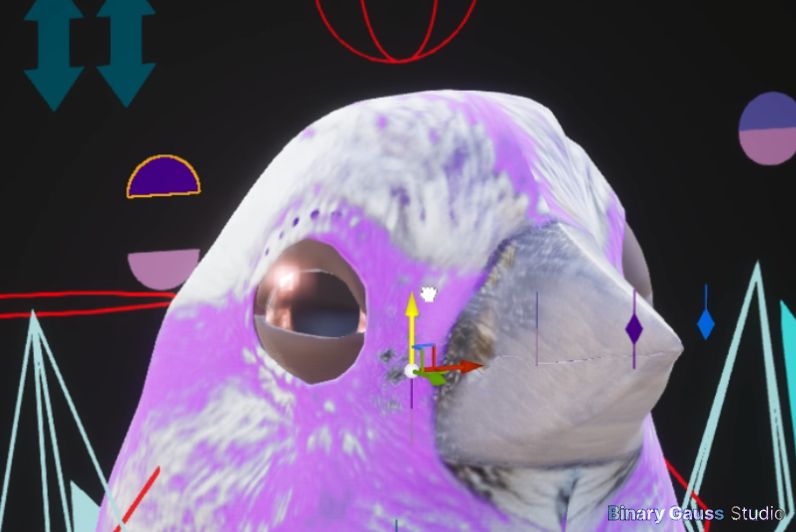
These shots show adjusting the elbow control, collapses the fanning effect.
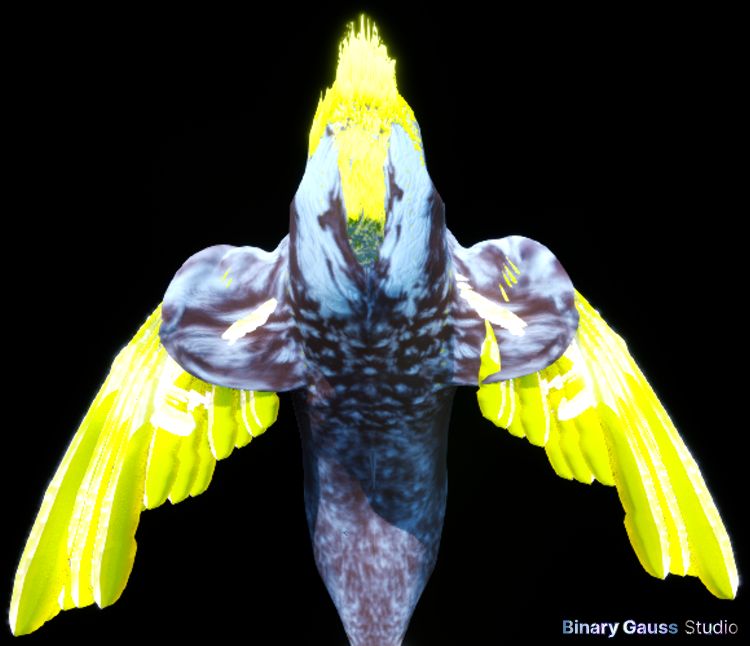
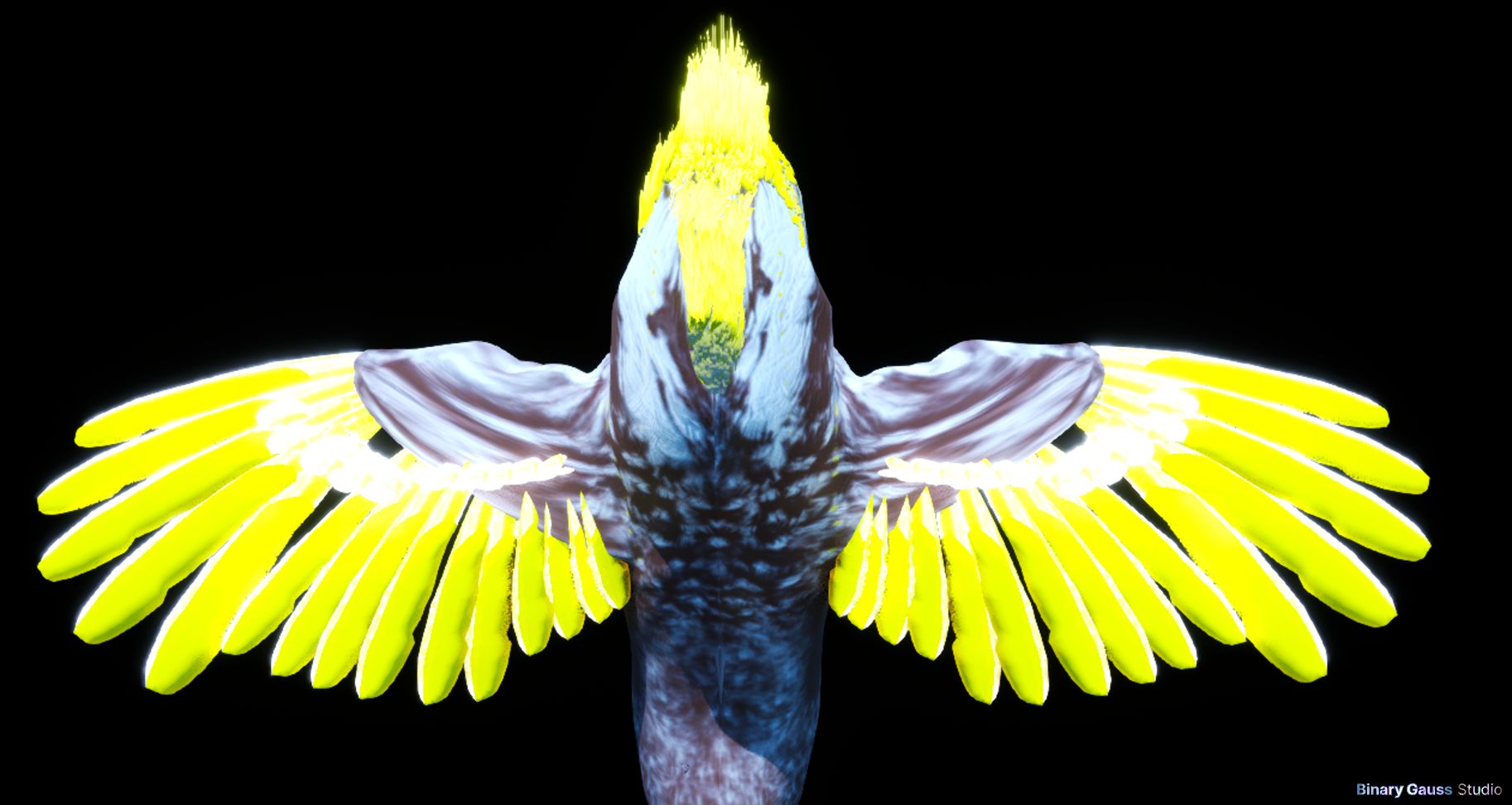
I hope to expand on this section and document the Control Rig integration in more detail.
Character Groom
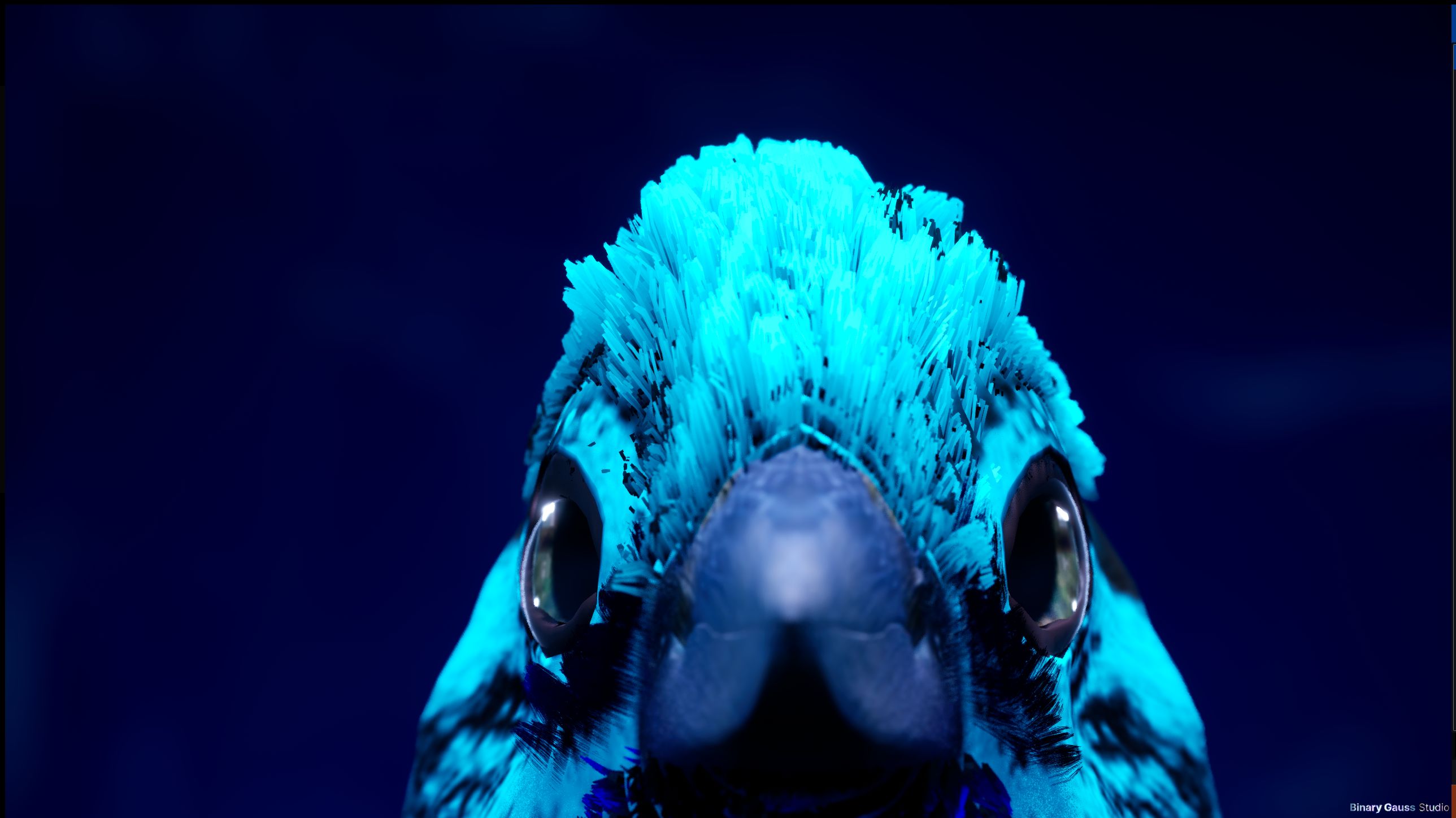
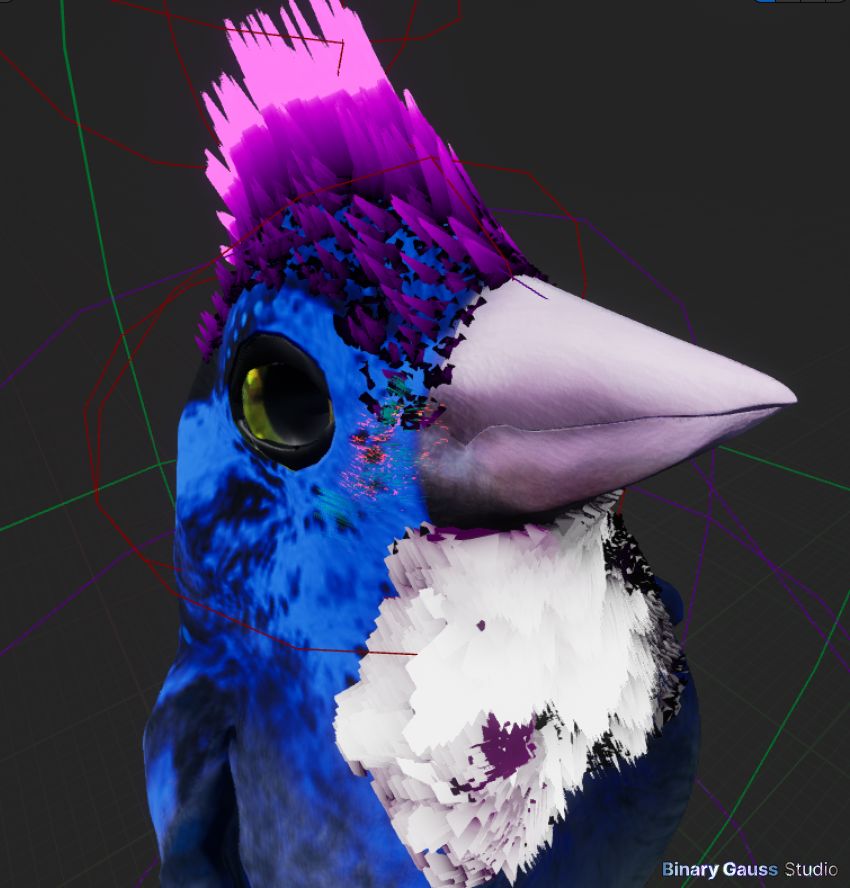
The characters hair was modeled in Blender. There are 3 separate grooms to make up all of the characters hair, the crown, cheeks and beard. These are individually exported, and each of associated assets in Unreal Engine.
Unreal Engine Development
Lyra Sample Project
Sparrow Country is effectively a total conversion of the Lyra sample project offered by Epic (as a demonstration of UE5’s capability). A completely new C++ based project was created, and sample code was copied over class by class, and reworked in the process. Some of the plugins were consolidated into a single plugin, however several of them were copied almost verbatim, like CommonUser and CommonGame.
Third Party Content
There was some use of third party content, mostly purchased through the Epic Marketplace and also SuperHive (formerly BlenderMarket). The assets from SuperHive were very cost effective, however often resulted in lots of additional work to be done to get anything game ready. The assets from Epic Marketplace were way easier to integrate as many of them are game ready, and were more expensive. However the tradeoff is that the game ready assets are much harder to modify some of the underlying foundation. There wasn’t much more than ~500$ purchased in third party assets. There was also some free content, mostly offered by Epic and sample projects and assets that were used as well. A list of third party assets are listed at the end of the document.
Bug Town
So many bugs. Unreal Engine makes game development hard at least for me as a beginner to intermediate game developer. Conceptually some implementation seems like it should be so simple. But, everything is so complicated that the simplest things seem to be the hardest to get right.
The most complicated was
2D User Interface and
CommonUI, focus management and dealing with so many layoutsEvent management
Code & Blueprint Refactoring
Below, I cover some of the issues encountered with each of these.
User Interface
While Unreal Engine recommends to use CommonUI , there are so many ‘gotchas’ that it took years to understand how to make navigation from one button to another (using arrow keys) to work smoothly. From inconsistent behavior, to focus issues where navigation stops working altogether.
Event Management
Where and what publishes events, and how do you subscribe to the events? Recommendations seem to fall apart at scale, and you must adopt new recommendations. With Unreal Engine 5, and studying the Lyra sample project I learnt of the Gameplay Ability System or GAS for short.
Does the Actor declare delegates, or does the Component? Do you use interfaces and declare accessors to delegates to be implemented by Actors, or Components? Does the actor ‘proxy’ the delegates so that external consumers of delegates not need to know about Components? Are you better to use a subsystem for some of these delegates? Learning GAS, maybe a gameplay ability may declare delegates? So many options.
Inspecting Lyra and GAS integration further, the interface IAbilitySystemInterface implemented by Actors is so simple, they simply return the Component by interface. One function declared in the interface. Rather then creating an interface that declares dozens of functions, they instead just rely on retrieving the ASC Component , and use that directly. This seems lazy. However, when developing a complex Component and trying to match an interface to it, things get complicated and tedious. I think this is the reason for a simple interface that just gives you the component. Now, this in the long run isn’t great if you wish to have something else implement the same interfaces as ASC… But we live with it, and get it done anyway.
See Async Tasks for more about subscribing to events.
Refactoring
Mistakes were made early in the project, I loaded up Blueprints with too much logic. I made many Blueprint Structs instead of using native structs. Overtime, this approach broke down as I wanted to refactor.
Async Tasks
Vital to keep things together, were async tasks. This a complicated topic, and confusing with so many options. What kind of Async Task should one create?
Ultimately there were 3 different async tasks classes that I used.
Ability Tasks
for tasks used by abilities
Ability Async Task
for tasks not used by abilities
UCancellableAsyncActionfor tasks not used by abilities
UGameplayTaskI did not subclass from this directly, this is the parent class for Ability Tasks and I would look into it more to see if it can be more widely used
Test Driven Development (and alternatives to)
I set up test cases in several cases to test some isolated classes, but quickly turned to another approach since compiling and running was very slow to run. My project was slow to load, in a smaller project you may not have this problem. Here, I’ve contemplated if isolating classes into plugins and having a separate launch configuration with less dependencies would help speed up iteration time. Unfortunately I did not go down that path.
What helped me iterate fast while writing C++ was Live Coding. I would run isolated ‘tests’ or scenarios in the editor using specialized levels and configurations that allowed me to run the behaviors quickly.
To help iterate fast:
Developed cheats allowing me to quickly progress through the game, testing as many events as possible in the shortest amount of time
example,
forceprogresswould transport my character to the target area, and running it again would trigger the next event
Developed several levels that had very specific purpose
a set of levels for mirroring the story flow but super simple and quick to test as many triggers as possible (see Lite Alternative Debug Story Levels)
a specific level to bring in world actors quickly and test in isolation (see World Actor Studio Level)
Lite Alternative Debug Story Levels
Developing a collection of levels that imitated the normal story, but had separate and unique quests that allowed me to test ‘common’ patterns amongst quests, like startup and shutdown of subgames and game phases. These special levels were usually small and minimal, with less noise than the full production story.
World Actor Studio Level
Another level, I called my World Actor Studio level, where an editor panel lists all custom Actors developed by me, and I could quickly spawn the actor into this level in isolation without any other noise. In this Studio level, I did not run the normal flow of the game, but instead a separate game mode that did the bare minimum and I was able to spawn in very quickly, the actor of my choice. The game mode allowed me to also spawn in my bird character, so that i could interact with the actor.
Music & Audio Composition
Music & Audio was a mix of third party assets, and original assets made mostly using Studio One 4. Music is a passion that I’ve been learning for about 2 decades.
Aspiring for Version 1.0
In order to release v1.0 I believe more content is needed.
Optimization
at least a couple more tracks
additional story content
more challenges
improved inventory support
balancing
The current foundation is decent and provides a baseline to produce much more content.
Roadmap
I am unsure how development will proceed from here, it will depend on the communities reaction to v0.19.
If I am able to remain full time on the project I would love to push toward 1.0 and release content updates every ~2-3 months. I would refine tracks, build up several more, add challenges and improve the story.
With additional help on the project, I think a team could really add some flare and excitement to the game.
I will update this space as I get a clearer picture of how many resources I am able to dedicate to the project going forward.
Conclusion
I am happy to have built Sparrow Country, it will be something I always have and I will know I made a real effort to build something I was proud of.
It took a really long time to bring the product this far. There were so many technical hurdles to jump through, Sparrow Country implements many challenging programming concepts. Making birds fly though hoops is hard. The complexity of the project, and game development was surprising.
I think the game does achieve some really exciting features like Co-op P2P racing with a friend/family is nothing better. So, I really look forward to hopefully switching gears for a little bit and maybe playing with others more than developing.
If you’ve made it this far in the read, than I also really thank you for sharing this moment with me! Please reach out to me anytime with any comments or questions I would love to hear them.
I hope you enjoy the game if you get a chance to play!
Brad Goss
AI Usage
Sparrow Country originally shipped with some texture assets that were AI generated, however these have all been removed in version 0.19.
there are no AI generated assets in the game
Google, and Bing search engine AI provided insight and search summaries at the top of search results, while researching development, troubleshooting bugs and environment issues
Photoshop AI was also used to generate images using locally sourced assets, to visualize new ideas, which influenced some scene layouts and character appearance
Tools Used
Photoshop
Figma
Blender
Unreal Engine 5
Rider
Visual Studio 2022
Lightroom
Jira/Confluence
Git
Spacescape
Grand Designer
Studio One 4
Gear Used
Lumix GH5 v1 (snapping the photos used for texturing and modelling) GH5
Leica DG Vario-Elmar 100-400mm / F4.0-6.3 II ASPH. / Power O.I.S.
Hardware Used
Primary development rig AMD 7950x 16core, Nvidia 3080 12GB Ram, 64GB Ram
Secondary development rig AMD 2700x 8core, Nvidia 1650x Super, 32GB Ram, mostly used for web development now
Build machine AMD 3950x 16core, Nvidia 970x 4GB Ram, 32GB
Test machine AMD 5950x 8core, (mix Nvidia 1070x 8GB Ram or AMD 570 4GB Ram), 32GB
Third Parties Used
There were several third party asset packs used in Sparrow Country.
Arno Cyreus (music for many racing & freeform tracks, including final farewell theme - https://www.fab.com/sellers/ArnoCyreus
Birds - SFX - https://www.fab.com/listings/9efd6570-ed3b-4684-a4e8-f6a7d9df8552
Caverns and Caves Vol. 1 - https://www.fab.com/listings/b5a583f6-7f7a-4a8f-9da1-914f1f6a498d
Firework SFX - https://www.fab.com/listings/5b576004-0871-40db-8738-eb3a6a34a567
interactive stylized Lowpoly Grass - https://www.fab.com/listings/c47bf805-4dfa-47a7-9243-5ca3c978fb46
Big Niagara Bundle - https://www.fab.com/listings/a835824a-07b3-44a7-a2e6-b1e166ad9a2e
Rocket Thruster Exhaust FX - https://www.fab.com/listings/5856e437-bb4a-4215-ae6d-6c93b429a37e
Best Of Sound FX 2025 - https://www.fab.com/listings/be961176-5fbe-4ad2-be50-5342988fe962
Stylized Beetles Pack - https://www.fab.com/listings/2f71129a-2a7a-4169-91b0-0c00134b2e27
Free Fantasy Music Pack - https://www.fab.com/listings/2423c639-983b-4378-903c-d4b1428924e8
Lowpoly Dinosaurs : Animated by sum studio - https://superhivemarket.com/products/lowpoly-dinosaurs-animated
Flower Floor Wall Lamp - https://superhivemarket.com/products/flower-floor-wall-lamp
Creature_v002 by Laristris - https://www.fab.com/listings/2870b14c-5e90-428c-83ec-17c7f40a3739
jellyfish by Solcito3d - https://www.fab.com/listings/aeffa367-731f-4596-aefb-b8195ab17985
Stylized Beetles Pack by N-Hance Studio - https://www.fab.com/listings/2f71129a-2a7a-4169-91b0-0c00134b2e27
Niagara UI Renderer - Aid in setting up special UI FX - https://www.unrealengine.com/marketplace/en-US/product/niagara-ui-renderer
Dead Canyon Landscape - Aid in setting up Sprinters Canyon landscape
UISFX2
Game Sound FX - https://www.fab.com/listings/27720edd-7b14-466d-8dcd-23475a8c3d37
Stylized - Dynamic Nature - Studio Kobo - https://www.fab.com/listings/02b51107-1836-4e46-a035-5f29702dda8e
Find Sparrow Country in Game Stores
Sparrow Country is available in Early Access on Steam and the Epic Games Store. Choose a store below to see more.